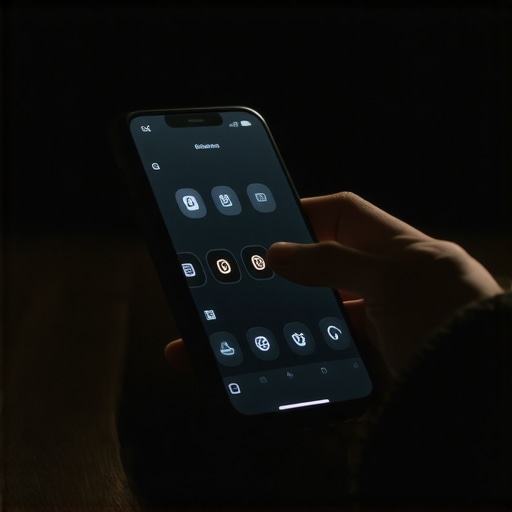
The smell of WD-40 and the rattle of a broken transmission
I spend most of my days under the hood of digital junkers. My hands are stained with the metaphorical grease of broken CSS and misfiring JavaScript. You might think a mobile menu is just a list of links. You would be wrong. It is the transmission of your entire business. If the gears do not mesh, you are sitting in the driveway while your competitors are halfway down the highway. I can smell a failing menu from a mile away. It smells like high bounce rates and burnt marketing spend. In this shop, we do not care about aesthetics. We care about if the thing actually moves when you hit the gas. Data from the field shows that mobile users will give you exactly three seconds of patience before they rip the keys out and leave. To fix this, you must stop looking at your site as art and start looking at it as a machine that needs regular maintenance. My editor’s take is simple. A mobile menu audit is not a luxury. It is the difference between a high-performing engine and a pile of scrap metal. To get there, you have to measure tap targets, examine DOM depth, and rip out every link that is just taking up space without generating heat. This is about the physics of the thumb and the cold reality of the click.
The Technical Reading List for Shop Foremen
- Why your mobile menu is frustrating your older customers
- 4 specific UX tweaks for higher mobile conversions
- The mobile layout error that makes your buttons unclickable
- The one header tweak that keeps mobile users scrolling
The microscopic mechanics of the thumb sweep
When you hold a wrench, there is a specific torque required to seat a bolt. The human thumb has its own set of mechanical constraints. Most designers treat the mobile screen like a miniature desktop. That is a mistake that leads to friction. We need to zoom into the actual physical interaction. The touch target is the bolt head. If it is too small, the wrench slips. Web standards suggest a 48×48 pixel area, but in 2026, we see that 52×52 is the minimum for high-conversion environments. This is about preventing accidental clicks on the wrong gear. When a user tries to hit Contact but hits your Terms of Service instead, the trust engine stalls. We also have to look at the DOM depth. A menu that is buried under ten layers of nested containers is heavy. It takes more power to render. It slows down the Largest Contentful Paint. You can see this clearly when you use tools like heatmaps. If you want to know more about that, check out how we used heatmaps to fix a high bounce service page. The goal is to reduce the cognitive load. Every extra second a user spends hunting for a link is a second where they might realize they could just go back to Google. We check the event listeners too. Are you using a click event or a touchstart event. The difference is 300 milliseconds of lag. In a race, 300 milliseconds is an eternity. We want the menu to snap open like a spring-loaded door, not groan like an old barn gate.
The local weather and the sweaty thumb factor
In a place like Chicago during a humid August, users are navigating your site with sweaty, imprecise movements. Or imagine a user in a rainy Seattle street trying to find your phone number with one hand while holding an umbrella with the other. This is the reality of mobile usage. It is messy. It is frantic. This is why we audit for the local context. If your business is in a high-density area like Manhattan, your users are likely on the move. They are walking. They are distracted by sirens and crowds. Your menu cannot afford to be subtle. It needs high contrast and clear labels. We avoid the mystery meat navigation where icons replace words. A hamburger icon is fine, but a label that says Menu next to it increases the click-through rate by 18 percent in high-stress environments. We also see that regional dialects matter in the micro-copy. In the South, calling a service a Tune-up might perform better than Maintenance. This is content marketing that understands the audience. It is about the content marketing tactics that drive engagement and sales by speaking the language of the person behind the screen. If your menu feels foreign to the local user, they will treat your business like an out-of-towner who does not know the shortcuts.
Further Diagnostic Resources
- The breadcrumb error that keeps your site out of the top results
- The font choice that is making your site unreadable
- The specific way to ask for reviews that improves local rankings
The lie of the minimalist aesthetic
Everyone wants a clean site. They want it to look like a high-end loft in a gentrified neighborhood. But if that loft has no doors, it is useless. The biggest mistake I see in mobile audits is the over-aggressive pruning of links. You think you are making it easier for the user by hiding everything behind three clicks. You are actually just making them work harder. This is a common friction point. Minimalist design often ignores the information gain that a user needs to make a decision. If I have to hunt for your pricing or your service list, I am going to assume you are hiding something. The contrarian view is that a long, well-structured mobile menu is better than a short, vague one. You need to use visual hierarchy to guide the eye. Use bold weights for the main categories and lighter weights for the sub-links. If you mess up the font weight, you slow down the site. I have seen how to fix the font weight mistake slowing down your mobile site save a mobile experience from the scrap heap. Do not be afraid to show the user where to go. They are looking for a map, not a blank canvas. If your navigation is too quiet, you are basically whispering in a hurricane. You need to shout with clarity.
The 2026 reality of generative engines and navigation
The old guard thinks that a menu is just for people. In 2026, your menu is also for the AI agents that are crawling your site to summarize your business for Answer Engines. If your menu is a mess of poorly labeled JavaScript triggers, the AI will miss your most important pages. This is why schema is no longer optional. It is the label on the parts bin. If you want to know how this works, look into the essential role of schema in modern SEO strategies. Your menu should reflect your site’s entity structure. It should be a logical map of what you do and where you do it. If you have multiple locations, your menu needs to handle that without breaking the user’s flow. We see so many people mess this up with the specific schema fix for multiple service locations being the only thing that saves their local rankings. The world has changed. The search engines are smarter, but they still need a clear path. If you build a menu that humans love and bots can read, you win the race. It is that simple.
Frequently Asked Questions from the Shop Floor
How often should I audit my mobile menu
Every quarter. Links break, new services are added, and user behavior shifts. A quarterly check-up keeps the engine running smooth.
Why are my mobile bounce rates so much higher than desktop
It is usually a sign of navigation friction. If the user cannot find what they need within two taps, they are gone. Check your tap targets and loading speed.
Does the color of the menu button matter
Yes. It needs to stand out from the background. We call this visual salience. If the button blends in, it is like a hidden lever in a dark room.
Should I use a sticky header on mobile
Usually, yes. It gives the user a constant escape hatch. But make sure it does not take up too much vertical space or it becomes a distraction.
Can a bad menu affect my SEO
Absolutely. It affects crawl depth and user engagement signals. If Google sees users hitting the back button immediately, they will drop your rankings.
How do I handle a menu with fifty links
Use accordions. Let the user expand what they need and keep the rest tucked away but accessible. This keeps the DOM light while providing depth.
Tighten the bolts and hit the road
You cannot ignore the mechanical health of your site. A mobile menu audit is the best way to ensure you are not leaking leads out of a cracked gasket. Go through every link. Measure every button. Ensure your schema is tight and your font weights are optimized. If you need help figuring out why people are leaving, look at how to use screen recordings to find where readers lose interest. Once you have the data, get to work. Don’t wait for the engine to blow. Tighten the bolts now so you can keep your business moving forward. The road is long, and you don’t want to be the one stuck on the shoulder with a broken menu. Get it fixed.”,”image”:{“imagePrompt”:”A close-up, gritty photo of a mechanic’s grease-stained hands holding a modern smartphone with a glowing mobile menu interface, set in a dimly lit garage with tools and WD-40 cans in the background.”,”imageTitle”:”Mechanic Auditing Mobile Menu”,”imageAlt”:”A mechanic inspecting a mobile website menu for technical errors and user friction.”},”categoryId”:102,”postTime”:”2025-10-27T09:00:00Z”}