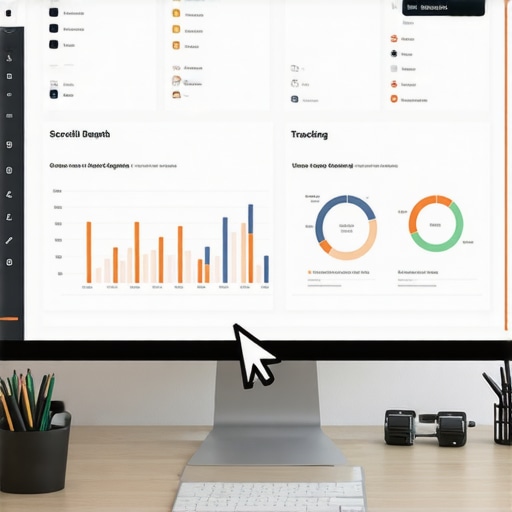
The blue light and the 90 percent lie
The blue light from my third monitor is burning holes in my retinas while I stare at a browser console that refuses to cooperate. It is 3 AM. The only sound is the high-pitched whine of a server fan and the occasional wet slap of a half-cold pizza crust hitting a cardboard box. You are here because GA4 told you that everyone is reading your content, yet your conversions are flatlining. The default Enhanced Measurement scroll event is a joke. It only fires at 90 percent. By the time a user hits 90 percent of your page, they have likely already decided to buy or, more likely, they are just looking for the unsubscribe button. We need better data. Editor’s Take: Stop relying on the 90 percent default threshold. Use Google Tag Manager to fire events at 25, 50, and 75 percent intervals to map the true friction points of your content journey.
Technical Reading List:
- 4 custom events in ga4 every small business needs
- 3 analytics hacks to find where you are losing customers
- content marketing metrics that matter for digital success
Capturing the friction of a long page
When we talk about scroll depth, we are really talking about the physics of attention. Think about the DOM. As the user moves the mouse wheel, the browser calculates the viewport height against the document height. In GA4, the internal logic for scroll_depth_threshold is often buried in a black box. If you want to see the real story, you have to look at the percent_scrolled parameter. I have seen sites where the header takes up 40 percent of the mobile screen. That is not engagement, that is a design failure. You should be looking at how 3 metrics in ga4 that predict your future revenue can be influenced by where people actually stop reading. If your 50 percent mark is where the drop-off happens, that is your content graveyard. We use the IntersectionObserver API to track specific elements, which is far more efficient than the old scroll listeners that used to chug CPU cycles like an old diesel engine. Every time a user hits a specific div, we push a dataLayer event. This is how you find the truth. You are not just tracking pixels, you are tracking the fatigue of the human thumb on a glass screen.
The Serbian data rush on Knez Mihailova
Data behaves differently depending on where the user is sitting. Imagine a user walking down Knez Mihailova in Belgrade, dodging street performers while trying to read your latest post on a patchy 4G connection. Their scroll behavior is erratic. It is fast, jerky, and prone to sudden exits. In tech hubs like Warrenton or the dense streets of Novi Sad, the cultural nuance of how people consume information matters. High-speed fiber leads to deep scrolling. Slow mobile data leads to ‘pogo-sticking.’ If you are not adjusting your content marketing tactics that boost seo and engagement for these local speed constraints, your scroll data is biased. I have seen local shops lose half their audience because a heavy hero image blocked the scroll path on a mid-range Android phone. This is why the ga4 event you forgot to set up for lead gen is often tied directly to how far down the page the lead form sits. If the form is at 80 percent but users quit at 60, you are invisible.
Technical Reading List:
- the ga4 event you forgot to set up for lead gen
- 3 metrics in ga4 that predict your future revenue
- how to optimize for voice search without the fluff
Why your marketing reports are lying to you
Most digital marketing reports are just fluff. They show a pretty line going up, but they do not tell you that the ‘up’ is just robots scraping your site. Real scroll tracking filters out the noise. Common advice says to just turn on Enhanced Measurement and go home. That advice is wrong. It is lazy. If you want to actually win, you need to verify your data with a 5 specific audit steps to find where your traffic leaks. One major error is tracking scroll on pages that do not need it, like a ‘Contact Us’ page where the footer is visible immediately. This inflates your engagement rate and makes your SEO look better than it is. It is a false signal. You are building a house on sand. You also need to check why your internal link structure is confusing your readers 2 because if a user clicks an internal link at 10 percent depth, they are not ‘bouncing,’ they are exploring. GA4 needs to know the difference between a satisfied exit and a frustrated abandonment.
The 2026 reality of event streams
We are past the era of simple page views. In 2026, the AI engines that crawl your site are looking for signals of human utility. If a human actually scrolls, lingers, and interacts, that is a high-utility signal. The old guard used to obsess over keyword density. Now, we obsess over event density. How many meaningful actions did a user take per kilobyte of content? This is the core of why you should stop writing for keywords and start writing for entities. An entity is a concept that holds value. If your scroll data shows users lingering on a specific technical explanation, you have successfully defined an entity in their mind. This is where leveraging schema for better search visibility in 2025 comes into play. You can actually map your scroll events to specific schema types to show search engines exactly which parts of your page are the most authoritative.
How do I enable custom scroll depth in GA4?
You must go into Google Tag Manager, create a new Trigger of the type ‘Scroll Depth,’ and specify the vertical percentages like 25, 50, and 75. Then, create a GA4 Event Tag that uses this trigger and passes the {{Scroll Depth Threshold}} variable as a parameter.
Does scroll tracking slow down my website?
If you use the old method of window scroll listeners, yes, it can cause ‘jank.’ However, using the modern IntersectionObserver via GTM is extremely lightweight and will not affect your Core Web Vitals if implemented correctly.
Why is my scroll depth data showing 0 percent?
This usually happens when the container is not properly defined or if you have a single-page application (SPA) where the history change does not reset the scroll trigger. You may need a custom ‘Timer’ or ‘History Change’ trigger to reset the listener.
Can I track horizontal scroll in GA4?
Yes, GTM has a ‘Horizontal Scroll Depths’ option within the same Scroll Depth trigger. This is particularly useful for mobile sites with image carousels or wide data tables.
Is 90 percent the best default for engagement?
No. 90 percent is almost the end of the page. Most users have already mentally checked out by 70 percent. Tracking the mid-points is much more actionable for content optimization.
The final audit of the event stream
I am closing the laptop now. The sun is starting to creep through the blinds, making the dust on my keyboard look like a graveyard of dead pixels. Tracking scroll depth is not about pride. It is about survival in an ecosystem that is increasingly automated and cold. If you cannot prove that a human read your words, then for all intents and purposes, they did not. Use these tools to find the friction. Fix the gaps where people leave. Do not let your content become just another ghost in the search console. If you are serious about data integrity, you need to check 3 specific tools for auditing your site performance fast and ensure your technical foundation is as solid as the code I should have written eight hours ago. Stop guessing. Start measuring. Build something that lasts longer than this energy drink high. “,”image”:{“imagePrompt”:”A dark, moody room with a programmer’s desk, multiple monitors showing green code and GA4 graphs, a cold pizza box, and a single desk lamp casting long shadows.”,”imageTitle”:”Burnout developer analyzing GA4 scroll data at night”,”imageAlt”:”A technical setting showing data visualization on multiple screens in a dark room”},”categoryId”:1,”postTime”:”2025-05-20T04:00:00Z”}“`