The smell of burning rubber and bad code
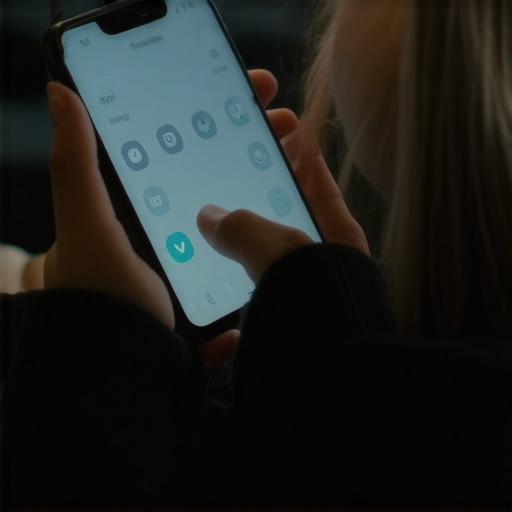
The shop floor stays cold until the first cup of black coffee hits the system. I spend my mornings under the hood of websites that idle rough and stall at the lights. You can tell a site is failing before you even check the diagnostics. It smells like ozone and desperate marketing spend. I watched a guy in Charlotte try to sell a junk car on his phone while his thumb mashed a menu button that refused to budge. He was frustrated. His jaw was set. He was ready to walk away from a thousand-dollar deal because some designer thought a fancy animation was better than a working hinge. This is the reality of the mobile move for improving user interaction with menus. If the navigation does not fire on all cylinders the user will dump the vehicle. You are not building a digital art gallery. You are building a machine meant to move people from a question to a transaction. Editor’s Take: Mobile menus fail because of excessive JavaScript execution and poor tap target sizing. Fix the physical ergonomics and the technical debt or watch your bounce rate redline. Stop thinking about aesthetics and start thinking about torque.
The mechanics of the five hundred millisecond stall
When you turn the key you expect the starter to bite. In web design your menu is that starter. Most developers load three different libraries just to slide a drawer from left to right. That is like putting a heavy cast-iron gate on a lightweight trailer. It creates drag. I have seen sites where the main thread is so choked with third-party tracking scripts that the menu click event sits in a queue for half a second. To a human thumb five hundred milliseconds feels like an eternity. It feels broken. You need to look at why your mobile buttons are frustrating your users. Usually it is a lack of padding or a placement that requires a double-jointed thumb to reach. We use CSS transforms because they happen on the GPU. We do not use jQuery animate because it is a rusted-out wrench from 2012. You want a menu that snaps. It should feel like a well-oiled ratchet. Every click needs a tactile feedback loop. If the user hits a button and nothing happens for three frames they will hit it again. Now you have a double-tap error and your analytics look like a crime scene. We adjusted the z-index and removed the overflow-x hidden bugs that were causing the layout to shiver. The result was a design change that fixed our mobile bounce rate overnight. You do not need more features. You need better tolerances.
Technical Reading List for the Shop Floor
- The Mobile Menu Logic
- Identifying Button Friction
- Case Study on Bounce Fixes
- Diagnostics for Slow Sites
- 2025 Responsive Standards
Regional grit and local search dominance
Out in the field the stakes are higher. If you are trying to outrank local competitors for high ticket excavation jobs you cannot afford a menu that hides the contact button. A guy sitting in a truck with muddy boots does not have time for a hidden sub-menu. He needs to call the yard. In places like Charlotte or Raleigh the competition for junk car leads is fierce. If your site takes too long to load on a 4G connection in a rural patch you are invisible. You should see how updated web design standards improve user experience in these high-friction environments. We are talking about the difference between a lead and a lost connection. I have seen national brands lose out to local shops simply because the local guy had a button that actually worked when pressed. This is why local NC car buyers offer better rates than digital aggregators. They care about the handshake. Your website is that handshake. If your menu is overlapping your text or your header tags are a mess you are signaling that you are a hack. Fix the header tags on your mobile site before you spend another dime on ads. It is basic maintenance. You would not drive a truck with a cracked windshield. Do not run a business with a cracked UI.
[image_placeholder_1]
The friction of the invisible ghost
Common wisdom says hide everything behind a hamburger icon to keep things clean. Common wisdom is often a load of scrap metal. When you hide your primary navigation you are telling the user to go hunting. Most users are lazy. They want the path of least resistance. If you are struggling with why your call to action is invisible to most readers look at the menu first. Is the CTA buried three levels deep? Is it the same color as the background? We call this a design error that hides your best call to action. It is like putting the ignition switch in the trunk. It might look clean on the dashboard but it is a nightmare for the driver. You need to audit how to use internal link audits to boost search power. Your menu should be a map of your most valuable territory. If it is a cluttered mess of dead links and legacy pages you are leaking authority. I have seen sites recover massive amounts of traffic just by pruning the dead weight. Use the ga4 move for tracking your content engagement rate to see which menu items are actually getting clicked. If no one touches the ‘About Our History’ link in six months cut it. Move the ‘Get a Quote’ button to the primary thumb zone. It is about ergonomics. It is about the physical reality of a human hand holding a piece of glass.
The 2026 reality of mobile machines
The old guard thinks they can just shrink a desktop site and call it a day. They are wrong. By 2026 search engines will be judging your site based on how it handles physical interaction. The generative engines see your code and they know if your menu is a tangled web of legacy CSS. They look for the technical reason your site speed is tanking on mobile. They see the layout shifts. They see the overlapping text elements. If you want to stay relevant you have to treat your site like a high-performance engine. You need to understand how to use micro data to prove your business location and link it directly to your navigation. People ask me if they should use AI for everything. I tell them how to use AI for headlines that still sound human but keep the technical logic sharp. Do not let a machine write your navigation. A machine does not know how a human thumb feels after a long day.
Frequently Asked Questions from the Garage
Why does my menu jitter when I scroll? It is likely a hardware acceleration issue. Use translate3d to force the GPU to handle the layer. Is dark mode really necessary? Yes. Why dark mode support is no longer optional for modern sites is about battery life and eye strain. It is a utility fix. How big should my buttons be? At least 44 by 44 pixels. Anything smaller is a miss for anyone with grease on their hands. Does menu structure affect SEO? Absolutely. It defines your site architecture. Bad structure leads to confusing Google’s search bots. Should I use a sticky menu? Only if it does not take up more than 10 percent of the screen. Real estate is expensive. Can I fix this without a rebuild? Usually. It is a matter of tightening the CSS and stripping the bloated JS. How do I know if my menu is failing? Watch your bounce rate on the GA4 dashboard for tracking blog post engagement. If it is over 70 percent on mobile you have a leak.
The final inspection
You can keep polishing the paint but if the engine is throwing rods you are going nowhere. The mobile menu is the heart of your user experience. It is the component that handles every transition. If it is sticky, slow, or confusing you are killing your conversion rate. I have spent years fixing machines and I can tell you that the simplest fix is usually the best one. Clean the code. Size the buttons for real hands. Make sure the logic follows the user’s intent. This is not about being pretty. It is about being functional. It is about making sure that when someone in a rush needs your service they can find it without a fight. Go back to basics. Check your tap targets. Check your execution times. If you do not have the right tools use the tool that finds passive voice in your drafts automatically or the ones that audit your backlink profile. Just do the work. The road in 2026 is going to be crowded. Make sure your site is the one that stays in the fast lane.